My Molina
- 4.6
- Rating
- 500.00K
- Installs
- Free
- Price

 Analysis by App-foxy
Managing health information is one of those tasks I would rather finish quickly and confidently than spend time learning another complicated service. My Molina is designed for Molina Healthcare members who want a mobile way to handle everyday account needs, and after reviewing it, I see its main value in convenience rather than novelty. It is a free medical app from Molina Healthcare Inc, with an Everyone age rating, and it has grown to more than 500 thousand installs. That level of adoption suggests it is familiar to many members, while the average rating of 4.3 from roughly 2.9 thousand ratings gives it a generally positive reception.
My first impression is that this is a practical member tool, not a replacement for a doctor, urgent care, or emergency service. That distinction matters. The app is most useful when I want to deal with routine health-plan administration from my phone, especially when I am away from a computer. It can make those small but important tasks feel less like paperwork, although the experience still depends heavily on having an active Molina member account and accurate account information.
Trust starts with knowing what kind of health tool this is
Because this is a medical app, I judge it differently from a shopping or entertainment app. The important question is not whether it feels flashy; it is whether it gives me a sensible, controlled way to interact with my health-plan information. My Molina presents itself as a member-facing service from Molina Healthcare Inc, which gives the app a clear purpose and an identifiable organization behind it. I find that more reassuring than an unrelated third-party app attempting to organize insurance details on its own.
You May Also Like

 Blood Strike: 2.5 Anniversary
Blood Strike’s Loadouts Turn Every Drop Into a Tactical Gamble
A close look at Blood Strike’s custom loadouts: how fast access to signature weapons reshapes its battle royale rhythm, rewards preparation, and narrows the gap between fights.

 Pandora - Music & Podcasts
Pandora’s Music Is Easy to Start, but Harder to Recover
Pandora’s strength is its low-effort path from a seed to a station. Its weak spot is how much confidence it asks you to place in connection, setup, and quiet recovery.

 8 Ball Pool
 Is Built on Rivalries, Rematches, and Routine
A close look at the rivalries, rematches, shared routines, and unanswered safety questions that turn a quick pool match into a persistent mobile community.

 Samsung Music
’s Quiet Strength Is Playing What You Already Own
Its reach comes less from spectacle than from dependable access to a personal library. That simplicity is both the app’s strongest retention engine and its ceiling.

 AccuWeather: Weather Radar
AccuWeather Review: A Quick, Clear Forecast for Everyday Decisions
For everyday plans, the best forecast is the one you can understand quickly. AccuWeather makes rain timing, radar, and local conditions easy to act on, with a few trade-offs.

 Hill Climb Racing
Why Hill Climb Racing Still Turns Crashes Into One More Run
A tiny car, a bumpy hill and one more upgrade: Hill Climb Racing keeps resurfacing because its simple chaos makes every near-miss feel personal.
More From Our News Desk



Still, a recognizable developer does not mean I should treat the application casually. A phone can be shared, lost, left unlocked, or viewed by someone nearby. Health-plan information can be sensitive even when I am only checking a routine detail. My approach is to install the app only on a device I control, keep the phone protected with its normal screen lock, and avoid opening it while connected to an unfamiliar public device or screen-sharing session.
The app has been available since March 2, 2016, and its current version is 5.10.19. For me, that history is useful context: this is an established member-service application rather than something that appeared recently and has not had time to mature. It also means I would expect the app to be used as part of an ongoing account relationship, not as a one-time information lookup.
One detail I appreciate is that the product is clearly aimed at Molina members. That focus can be a strength because a member portal is usually more relevant than a broad health organizer when I need plan-related information. The trade-off is equally clear: if I am not a Molina member, or if I am looking for general medical education, symptom tracking, medication reminders, or a personal fitness dashboard, this is probably the wrong tool.
What I would check before trusting it with regular use
Before settling into a routine with any health-plan app, I would confirm that I am using the official listing and that the developer name matches Molina Healthcare Inc. I would then read the permission prompts rather than approving every request automatically. The most trustworthy experience is one where I understand what the app is asking to access and can decline anything that does not make sense for the task I am trying to complete.
I would also look through the account and device settings after signing in. If the app offers choices for notifications, saved login details, or session behavior, I would set them according to the privacy level I actually want. I would not assume that a convenience setting is harmless simply because it saves time. On a personal phone, keeping a session available may be acceptable; on a shared family tablet, it may expose information to the next person who opens the app.
My Molina is free to download, which removes a financial barrier for members who need mobile access. Free does not mean that every member will have the same experience, however. Account status, plan details, device compatibility, and the quality of the phone’s internet connection can all affect how useful a member portal feels in practice. I would treat the app as one access route to my Molina account, not as a guarantee that every plan question can be solved inside the app.
Controls matter more than a polished home screen
When I review a health app, I look for visible choices rather than assuming that the service is private by default. The most important controls are the ones that let me decide when to sign in, what notifications appear on the lock screen, and whether another person could reopen the account after I hand over the phone. These are ordinary settings, but they become important when an app is connected to medical coverage.
A useful habit is to disable notification previews if the phone might be visible to other people. A generic alert is less convenient than a detailed message, but it reduces the chance that sensitive account context appears in public. I would also avoid saving access details in a browser or password manager shared with other household members unless each person has a separate protected profile.
I would not use the app as a place to record private notes about symptoms or treatment unless the app visibly provides a dedicated, appropriate area for that purpose. A member portal and a personal health journal serve different needs. Keeping those roles separate helps me avoid putting information into the wrong system and then assuming it will be available to a clinician later.
Another practical control is timing. I prefer to review plan information when I have enough privacy to read it carefully, rather than opening the app in a crowded waiting room and rushing through prompts. Rushing increases the chance of selecting the wrong account option, overlooking a notice, or leaving the session open. The app can save time, but only if I use it deliberately.
Where sensitive moments are most likely to happen
The most sensitive use case is not necessarily a dramatic medical event. It may be a simple moment when I am trying to confirm something while another person is standing beside me. Imagine that I am at a pharmacy and need to check a member-related detail on my phone. The convenience is obvious, but the setting is public, the screen may be visible, and I may feel pressure to move quickly. I would angle the screen away, use the phone’s privacy protections, and avoid reading personal information aloud.
A second realistic scenario is preparing for an appointment. I might open the app at home to review my account information before leaving, then close it fully rather than leaving it on a page that someone else could see. This small workflow is better than waiting until the front desk, where I may be distracted and more likely to expose information accidentally.
Travel creates another trade-off. Mobile access is useful when I am away from my normal computer, but I would be cautious with public Wi-Fi and shared devices. If I must use a network I do not control, I would keep the session short, avoid unnecessary browsing inside the account, and sign out when finished. Convenience is valuable, but it should not override basic account hygiene.
Notifications deserve special attention because they can reveal more than the app itself. A message appearing on a locked screen may expose the existence of a health-plan interaction even if it does not show the full content. I would check the phone’s notification settings and choose whether previews are appropriate for my circumstances. This is one of the most useful privacy steps because it applies even when I am not actively using My Molina.
How much control the member should keep
I prefer services that let me remain the decision-maker instead of pushing me toward automatic actions. With a member app, that means I should be able to choose when to open it, what information to review, and whether to continue a task after reading the details. If a screen presents an important account choice, I would pause and verify the wording rather than tapping through simply because I want to reach the home screen.
Account access is another area where personal agency matters. I would use a unique password for the Molina account and keep recovery information current. If I change phone numbers, email addresses, or devices, I would review the account promptly rather than waiting until I am locked out. These steps are not exciting, but they make a mobile health service much less stressful when I need it urgently for an administrative reason.
I would also separate app convenience from medical decision-making. The app may help me manage member-related tasks, but it should not become my source for diagnosing symptoms or deciding whether a serious condition needs immediate attention. For urgent symptoms, I would use emergency services or professional medical advice instead of opening a member portal and hoping it answers a clinical question.
There is a useful distinction between “available on my phone” and “available whenever I need it.” The first describes convenience; the second depends on login access, connectivity, device condition, and account status. I would keep important member documents or contact details accessible through appropriate offline means when possible, rather than assuming the app will always be ready at the exact moment I need it.
Where it fits among the usual alternatives
The usual alternative is a desktop member website. A website may be better when I need to compare several pages, read a long explanation, print something, or manage information while working with multiple browser tabs. My Molina is more appealing when I want a focused mobile interaction and do not want to wait until I am back at a computer.
Another alternative is calling member services. A phone call can be slower and may involve waiting, but it remains valuable when the issue is complicated, the account information looks wrong, or I need a person to explain a decision. I would not judge the app harshly for failing to replace that conversation. Mobile apps are good at structured, repeatable tasks; representatives are better when the situation does not fit a standard path.
General health apps are also different. A symptom checker, medication reminder, or fitness tracker may offer tools that My Molina is not designed to provide. Choosing between them depends on the job. If I need plan access, the Molina-focused app makes more sense. If I need to monitor daily health habits, I would look elsewhere and avoid expecting a member portal to become a complete personal health record.
That comparison leads to my main trade-off: My Molina can reduce friction for Molina members, but its usefulness is narrow by design. I would recommend it to someone who regularly handles plan information from a phone. I would skip it if I am not a member, if I strongly prefer speaking with representatives, or if I want a broad medical tool rather than an account-management app.
Small habits that make the experience safer and smoother
- Review notification visibility: I would decide whether health-related alerts should appear in full on the lock screen or only show a generic notice.
- Use a private setup: I would avoid signing in on a shared phone and would close the session before lending my device to someone else.
- Prepare before appointments: I would check the relevant account information at home, where I can read it carefully, instead of trying to solve everything at a busy reception desk.
- Keep a backup route: I would know how to reach Molina through its normal member-service channels in case the app, device, or connection is unavailable.
- Separate administration from care: I would use the app for member tasks and contact a qualified professional for medical advice or urgent concerns.
These habits are not hidden buttons or advanced tricks; they are ways to get more value from the app without giving convenience more authority than it deserves. The strongest workflow is usually the simplest one: open it for a specific member task, verify what I am viewing, complete the task, and close the session.
My cautious verdict for Molina members
My Molina is a sensible choice for Molina members who want mobile access to their health-plan relationship. Its free price and Everyone rating make it approachable, while its established release history and current version suggest an app intended for ongoing use. The 4.3 average from about 2.9 thousand ratings is encouraging, and the roughly 761 written reviews show that many users have taken the time to describe their experiences rather than only leaving a quick score.
I would recommend it with a clear expectation: use it as a convenient member-service channel, not as a complete healthcare companion. Its value is greatest when I need to handle routine account matters from a phone and already understand the limits of a digital portal. Its value is lower when I need detailed personal assistance, clinical guidance, or a broad collection of wellness tools.
My trust in the app would come from my own careful use of its visible account choices, notification settings, and device protections, not from assuming that every mobile convenience is automatically private. I would install My Molina if I were a Molina member who often needed quick access away from a computer. I would keep the desktop site or member-service phone line available for complex issues, and I would always treat urgent medical concerns as a matter for healthcare professionals rather than an app.
Overall, I see it as a focused, useful medical app with a practical purpose. It does not need to do everything to be worthwhile. For the right member, it can make ordinary health-plan administration easier; for everyone else, choosing a different kind of health app or a direct support channel would be the more sensible decision.
FAQs for My Molina
01What is My Molina and what can I do with it?
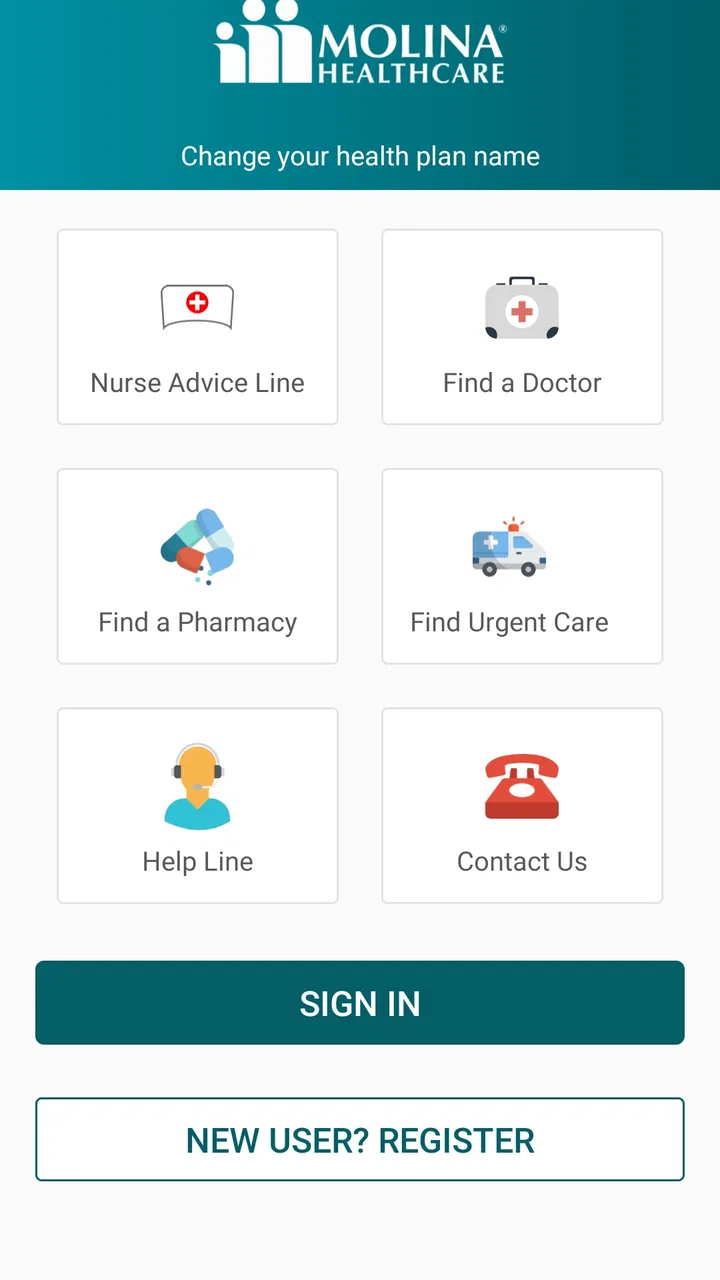
My Molina is a mobile application designed for Molina Healthcare members. It allows you to easily manage your health plan on-the-go. With the app, you can view your benefits, check your claims status, find healthcare providers, and access important health resources. This app simplifies health management by bringing essential features to your fingertips.
02Is My Molina available on both Android and iOS devices?
Yes, My Molina is available for download on both Android and iOS platforms. You can find the app on the Google Play Store for Android devices and the Apple App Store for iOS devices. Ensure your device meets the minimum operating system requirements for optimal functionality.
03How secure is my personal information on the My Molina app?
My Molina prioritizes the security of your personal information. The app employs advanced encryption and security measures to protect your data. Additionally, users are required to log in with a secure username and password, adding an extra layer of protection. Always ensure you download the app from official stores to avoid security risks.
04Can I pay my premiums or medical bills using the My Molina app?
Yes, the My Molina app offers a convenient way to manage your financial transactions related to your health plan. You can pay your premiums directly through the app, view payment history, and receive notifications about upcoming bills. This feature ensures you stay on top of your healthcare expenses without hassle.
05What should I do if I encounter issues while using My Molina?
If you experience any issues while using the My Molina app, you can access the in-app support feature for assistance. Alternatively, you can visit the Molina Healthcare website or contact customer service for further help. Regular app updates are also recommended to fix bugs and enhance performance.
Pros
- User-friendly interface for easy navigation.
- Real-time updates on healthcare information.
- Secure access to personal health records.
- Efficient appointment scheduling feature.
- Comprehensive coverage details available.
Cons
- Limited offline functionality.
- Occasional slow load times.
- Notification settings can be confusing.
- Some features require frequent logins.
- Limited customization options for users.

My Molina
Gallery